What's in the post?
- How to choose a wireless keyboard?
- Logitech MK270 Keyboard and Mouse Combo
- Logitech K380 Multi-Device Bluetooth Keyboard
- RedThunder K10 Wireless Gaming Keyboard and Mouse Combo
- Logitech Wave Keys Wireless Ergonomic Keyboard
- 8BitDo Retro Mechanical Keyboard
- Logitech MX Keys
- Apple Magic Keyboard Touch ID

How to choose a wireless keyboard?
Updated article: August 2025. Old version: 01/05/2024
Selecting a wireless keyboard necessitates consideration of several factors. Firstly, the keyboard must be compatible with your device - this can be confirmed by checking product details. The connection type is important too; Bluetooth and USB receivers are common, with the latter often providing a more stable connection. Size and layout should align with personal usage - full-sized keyboards have all keys, including a numeric pad, while compact versions are more portable but may lack certain keys.
Keyboards vary in their key types - mechanical ones offer tactile feedback and are ideal for typing, albeit noisy, while membrane keyboards are quieter and cheaper, but provide less tactile feedback. Battery life also differs; some keyboards use replaceable batteries, while others are rechargeable, so preferences and expected battery life should be considered.
Additional features, such as backlit keys, media controls, or programmable keys, may be important to some users, for example, gamers. Build quality and key ergonomics greatly influence typing comfort. Multimedia buttons are convenient for controlling playback and adjusting volume when watching videos or movies. For gamers, a wireless gaming keyboard can minimize input delay.
Ultimately, the best wireless keyboard is subjective and depends on individual needs and preferences. We have curated a short list of the top wireless keyboards for 2024. This list has a significant value for readers, and we check the popularity of these keyboards in 2025. Surprise: customers still like them a lot. Our goal is to assist you in selecting a keyboard that best suits your needs. TheGeekyThings hopes this compilation proves valuable in your decision-making process.
Logitech MK270 Keyboard and Mouse Combo
The Logitech MK270 might be one of the better-priced wireless keyboard and mouse combos out there, striking what appears to be a thoughtful balance between cost and daily functionality. It’s handy that both devices run through the same tiny USB receiver. It keeps clutter down, at least in theory. The keyboard relies on AA batteries, which means no frequent charging sessions, although you’ll want to have a couple of spares nearby.
Multimedia keys get a mention and, for people who like to skip playlists or mute their audio without searching for the right window, they’re pretty convenient. On paper, the wireless range is about 33 feet, though actual results could differ if you’re working in a spot prone to interference or surrounded by desk clutter.
As for typing? It feels comfortable and fairly quiet. The keyboard keeps a standard layout with the usual suspects: full-size F-keys, arrow keys, and a number pad. I’ll admit, the spill-resistant design might not be a miracle worker, but it’s comforting if you’re the type who keeps a drink dangerously close to your setup. Tilt legs make sense for some, but I could imagine others finding them unnecessary.
The mouse feels like it does what it needs to do: lefties and righties can use it, and it glides smoothly on most surfaces. If you’re doing intricate design work, though, you may want something with a bit more precision. Battery life stands out, up to three years on the keyboard, a year for the mouse, though I suppose your results could vary if you’re particularly heavy-handed.
So, the MK270 looks like a good, simple pick for most people. Then again, if you care more about premium details or aesthetic flair, it might be better to keep looking.
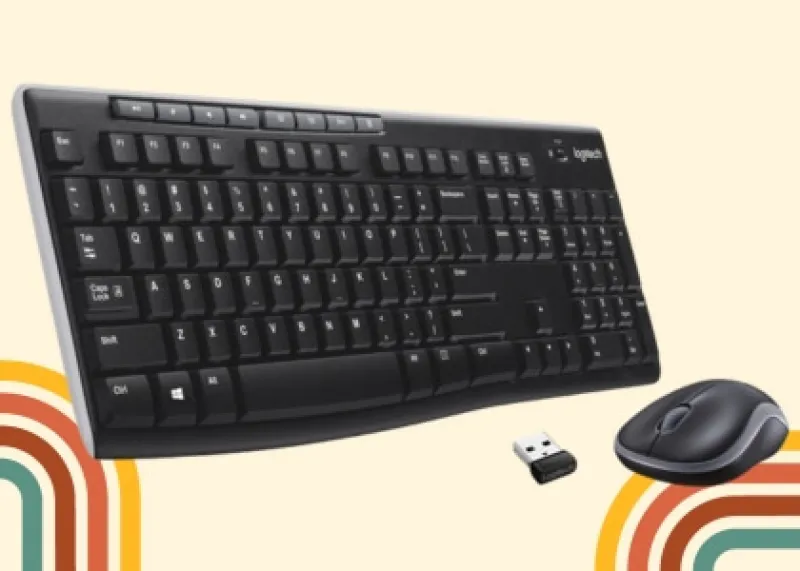
Logitech MK270 Wireless Keyboard
Logitech MK270 Wireless Keyboard And Mouse Combo For Windows, 2.4 GHz Wireless, Compact Mouse, 8 Multimedia And Shortcut Keys, For PC, Laptop
Price
Logitech K380 Multi-Device Bluetooth Keyboard
The Logitech K380 Multi-Device wireless keyboard has a slim profile that seems to work well for both office setups and travel bags. Those low-profile keys make typing noticeably quieter, which might be a plus if you're working in shared spaces. It connects wirelessly to Windows, Mac, Chrome OS, Android, iPad, iPhone, and even Apple TV.
You can pair up to three devices at once and switch between them with a dedicated button. Pretty handy if you're juggling a laptop, tablet, and phone throughout the day. The keyboard appears to automatically map keys based on your device, so shortcuts should feel familiar rather than confusing. Logitech claims a 2-year battery life, though real-world usage may vary depending on how much you type.
It uses Bluetooth for connectivity and works with both Windows and Mac systems. While the compact size makes it portable, some users might find the smaller layout takes getting used to compared to full-sized keyboards.

Logitech K380 Multi-Device Bluetooth Keyboard
Logitech K380 Pebble Multi-Device Bluetooth Keyboard – Windows, Mac, Chrome OS, Android, iPad, iPhone, Apple TV Compatible – with Flow Cross-Computer Control and Easy-Switch up to 3 Devices
Price
RedThunder K10 Wireless Gaming Keyboard and Mouse Combo
The RedThunder K10 wireless keyboard and mouse combo works well for both gamers and workers. It uses 2.4G wireless transmission, which seems to provide solid connection speed and stability during gameplay, though your mileage may vary depending on your setup.
Both devices are rechargeable. The keyboard packs a 3000 mAh battery while the mouse has an 800 mAh one. You can expect around 8 hours of use on a full charge, and both devices will automatically go to sleep after 2 minutes of no activity to save power.
Rainbow backlighting comes built into the keyboard with different modes and brightness settings you can cycle through. The mouse has its own 7-color lighting that gradually shifts between hues. Whether you find this appealing or distracting probably depends on your personal taste. The keyboard uses ABS keycaps with what appears to be fade-resistant printing, plus a frosted metal cover that should hold up to regular use. The mouse design feels comfortable for extended gaming sessions, though comfort can be subjective based on your hand size and grip style.
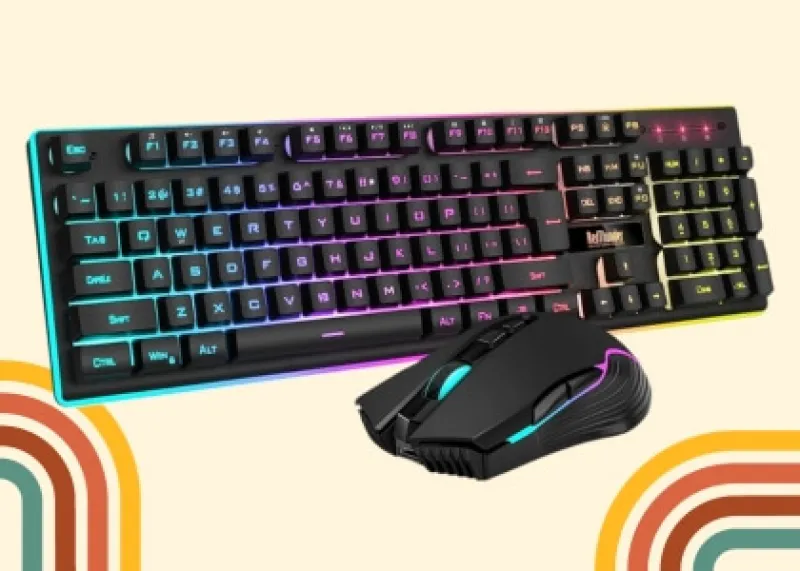
RedThunder K10 Wireless Gaming Keyboard
RedThunder K10 Wireless Gaming Keyboard and Mouse Combo, LED Backlit Rechargeable 3800mAh Battery, Mechanical Feel Anti-ghosting Keyboard + 7D 3200DPI Mice for PC Gamer
Price
Logitech Wave Keys Wireless Ergonomic Keyboard
The Wave Keys Ergonomic Keyboard is a wireless option that aims to make long work sessions more pleasant. Its wave-shaped design appears to position your hands and wrists in a more natural angle while typing.
You get a cushioned palm rest with memory foam that seems to provide decent wrist support and reduce pressure points. The Logi Options+ App lets you set up custom shortcuts to speed up your workflow, which can be handy if you're doing repetitive tasks.
Leading ergonomists have tested this keyboard, and it's certified by United States Ergonomics. Whether that certification carries much weight may depend on your specific needs. Connection options include Bluetooth or the Logi Bolt Receiver. The Easy-Switch feature lets you jump between your laptop, tablet, and phone with a button press. It works with Windows, macOS, iPadOS, and ChromeOS, though some features might work better on certain systems than others.
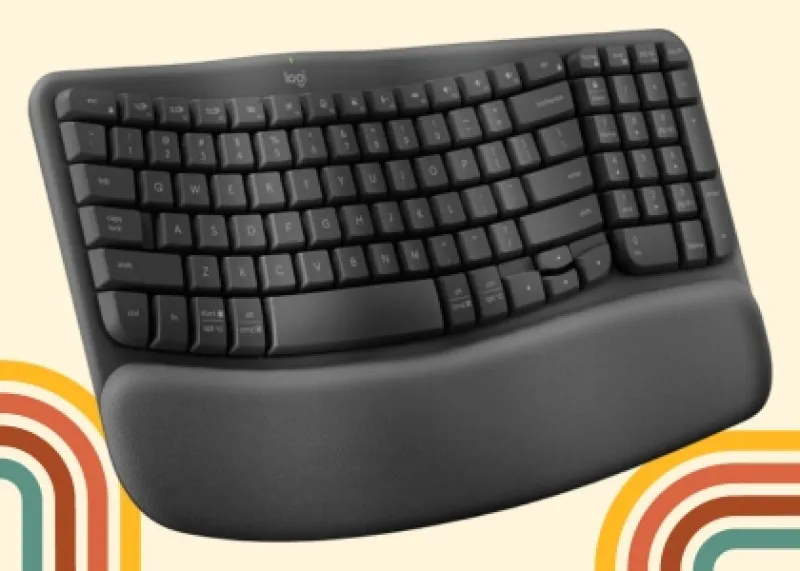
Logitech Wave Keys Ergonomic Keyboard
Logitech Wave Keys Wireless Ergonomic Keyboard with Cushioned Palm Rest, Comfortable Natural Typing, Easy-Switch, Bluetooth, Logi Bolt Receiver, for Multi-OS, Windows/Mac
Approximate Price
8BitDo Retro Mechanical Keyboard
This keyboard works with Windows and Android devices. You can connect it three ways: Bluetooth, wireless 2.4G, or a wired connection. The 87-key layout uses Kailh Box Switch V2 White switches, which should give you a comfortable typing feel. The dye-sub PBT keycaps appear to be built to last and feel more premium than cheaper alternatives.
What makes the 8BitDo keyboard interesting is the top mount style and hot-swappable PCB. It's nice that you can change switches without having to solder. You can press more than one key at a time without missing inputs thanks to the n-key rollover. You can program bespoke functions right on the keyboard using the Dual Super Buttons, although how well this works may depend on how your computer is set up.
There's a classic power status LED that adds some nostalgic flair, along with an independent control panel for quick adjustments. The 8BitDo Ultimate Software V2 gives you deeper customization options for keyboard mapping, assuming you want to go beyond the basic functions and create a setup that fits your workflow. This keyboard is a frequent guest on our pages, and you can take a closer look at its details.
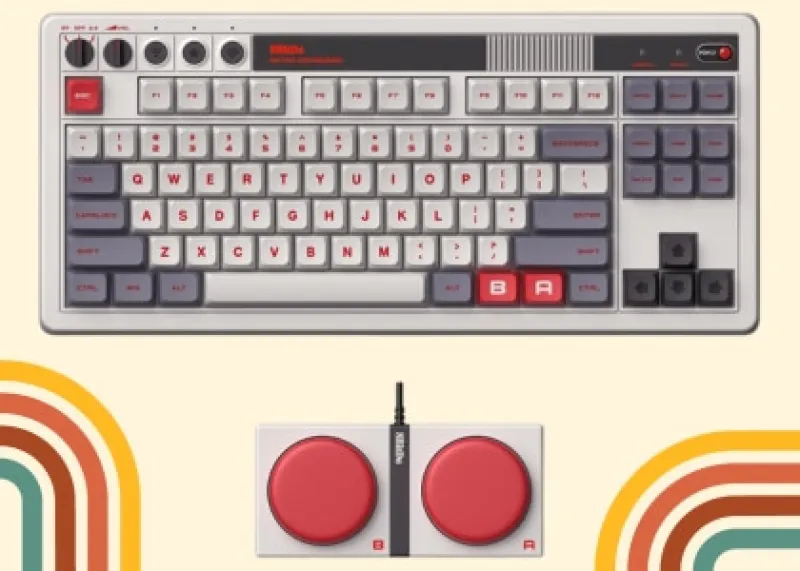
8Bitdo Retro Mechanical Keyboard
8Bitdo Retro Mechanical Keyboard, Bluetooth/2.4G/USB-C Hot Swappable Gaming Keyboard with 87 Keys, Dual Super Programmable Buttons for Windows and Android - N Edition
Price
Logitech MX Keys
The Logitech MX Keys gets solid reviews for wireless keyboards, though whether it lives up to all the hype may depend on your specific needs. The keys are shaped like your fingertips, which seems to aid when you type for a long time. One interesting feature is the clever backlighting that goes on as you get close and changes brightness depending on how bright the environment is.
If you turn off the backlighting, the battery will last for roughly 10 days. If you leave it on, it will last for up to five months. The Logi Options+ app lets you set up custom shortcuts for tasks you do repeatedly, which can speed things up. You can also tweak the lighting settings to your liking.
The low-profile design appears to keep your wrists in a comfortable position while typing. You can connect up to three devices at once using Bluetooth or the USB receiver that comes with it. Charging happens through USB-C, and you get the same battery life mentioned above.
If you already have other MX devices, this keyboard pairs well with them for working across multiple computers.
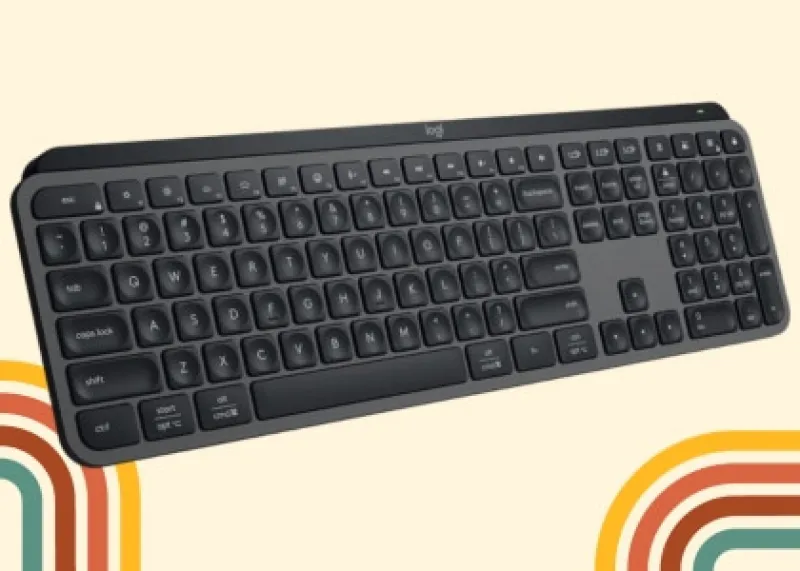
Logitech MX Keys S Wireless Keyboard
Logitech MX Keys S Wireless Keyboard, Graphite, Low Profile, Quiet Typing, Backlight, Bluetooth, USB C Rechargeable for Windows, Linux, Chrome, Mac
Price
Apple Magic Keyboard Touch ID
The Apple Magic Keyboard is a compact wireless option built specifically for Mac computers. The scissor mechanism seems to deliver comfortable typing that should hold up well over time. Touch ID is built right in for quick fingerprint authentication.
Battery life runs about a month per charge, which is pretty solid. You can charge it straight from your Mac using the USB-C cable that comes with it. Bluetooth pairing with Apple Silicon Macs happens instantly once you connect. Apple switched from Lightning to USB-C versions in 2024, and the 2025 updated version became the top seller, replacing the previous one.
Overall, you get accurate typing, Touch ID security, and battery life that won't leave you scrambling for a charger every few days. For Mac users looking for Apple's wireless keyboard solution, this appears to be their go-to option.

Apple Magic Keyboard with Touch ID
Apple Magic Keyboard with Touch ID: Wireless, Bluetooth, Rechargeable. Works with Mac Computers with Apple Silicon, Type-C
Price
Bottom Line
Our recommendations for the best wireless keyboards in 2024 are still the best in 2025! These models stayed on top, and several even got better positions from buyers. We looked at the most recent sales statistics and reviews to make sure this list is still up to date. The editor keeps an eye on what works best for real people.
You Also May Interested

Top 80 Best Holiday Gifts for Geeks
Get the top 80 Christmas gifts for geeks and gamers! Expert-approved, unique, and sure to bring joy all season long.

Detail-oriented editor aiming for excellence. I keep up with web dev, gaming, and tech trends in my free time and write about

Best Tesla Accessories 2023
Top must-have Tesla accessories in 2023 for increased functionality including CarPlay, Android Auto, organizers, & radar detectors. Elevate your Tesla driving experience with TheGeekyThings!

Yoto Player: Screen-Free Childhood & Audio Entertainment
What is the Yoto Player? It is a child-friendly device that brings books to life through its speaker. No screens, just pure imagination and learning.

Why the GameSir G7 HE Wired Controller Stands Out for Geeky Kids
Why does the GameSir G7 HE Wired Xbox Controller stand out as a better choice than standard wireless controllers? Find out in our gift guide for geeky kids.